Pages

Sunday, February 16, 2014

How to Run Whatsapp on pc


Easy steps to run whatsapps on your  computer/laptop.

Watch video : http://www.youtube.com/watch?v=PyYEGhvrDDU

Step 1:
Download Android SDK(eclipse) and Extract into your pc.

Step 2:
Open Android SDK(eclipse)  and goto "Window > Android Virtual Device manager".


Step 3:
Click on new and after that set
AVD Name ="Testwhatsapp" ,
Ram="768MB", 
SD card size="200MB" and click on Ok button.


Step 4:
Start  Virtual device "Testwhatsapp". It will take time to start about 2-3min . Once your "Testwhatsapp" started Open the android browser inside that device and download "whatsapps" form any 3rd party.
or you can upload your whatsapps.apk file to any drive(google drive,skydrive,yandex.disk,dropbox) and download from there into your "Testwhatsapp" Virtual device.

Step 5:
After downloading whatsapps install into your "Testwhatsapp" virtual device. After installation open whatapps and enter mobile number and start Using whatsapps (Note: Mobile number should be on because whatsapps send a text msg to that number for the confirmation)

Start using whatsapps...

How to Steal Session , Cookies


Cookie is a small amount of data which is stored on the client browser as well as on the server. and this stored data remember that user wherever he come back to same website and the website gives access to the user account without using his password.

Here is trick how to use Cookie and session to Login into other user account without using any password.
(for educational purpose only)

Step 1:
Download and install Mozilla Firefox browser.(only works with Mozilla Firefox)

Step 2:
Open Mozilla Firefox and press "Ctrl+Shift+A" and search for Add-ons "greasemonkey" . Install the "greasemonkey" to the browser.

Step 3:
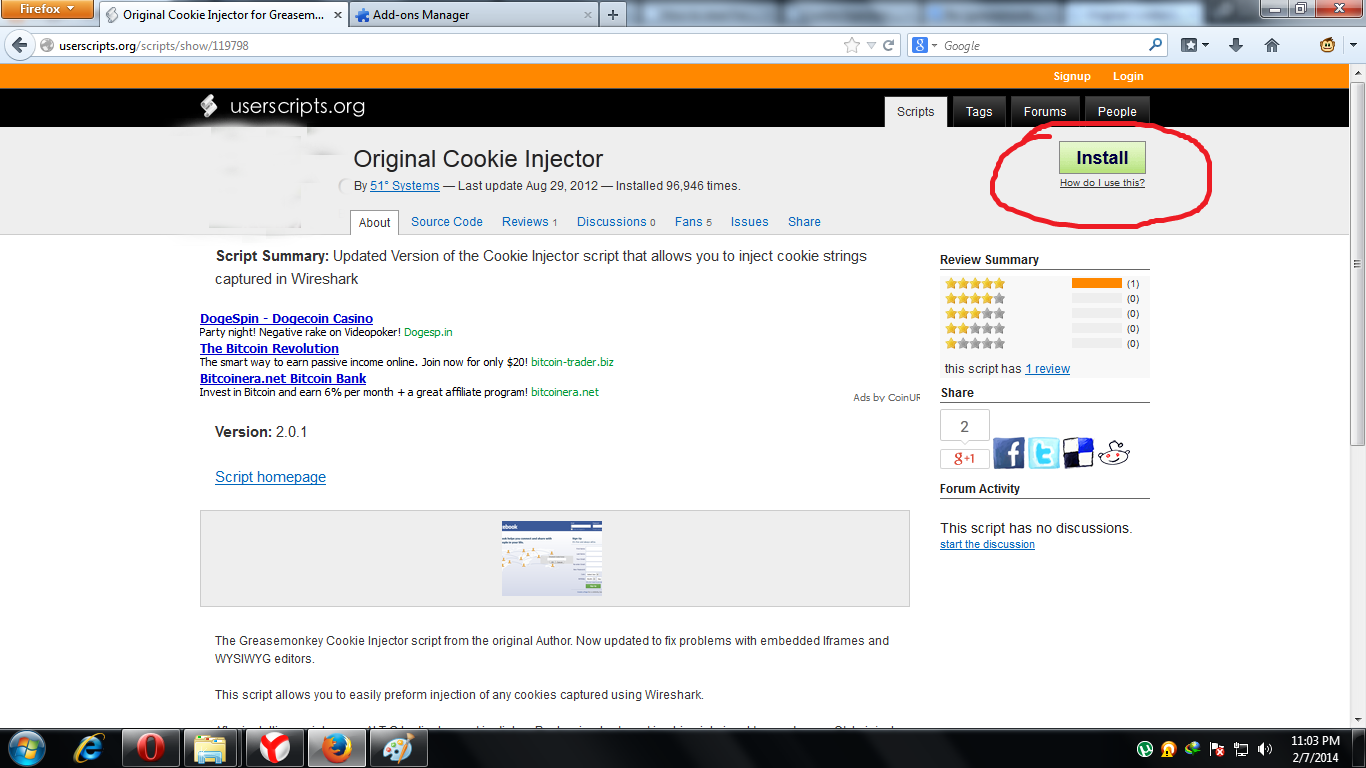
After adding "greasemonkey" to browser restart the browser and goto this URL http://userscripts.org/scripts/show/119798 and Click on "Install" Button.

Step 4:
Open the website in which you want to inject that cookie. Now press "Alt+c" key you will see on Text box on the browser paste Cookie into the blank Textbox and refresh the page.


How to get Cookie?
Whenever the user login into website the cookie is created and stored on his browser.
To see Cookie paste this code into your browser(opera browser only) URL
"  javascript:alert(document.cookie);  "
and there are many way to find cookies http://www.w3schools.com/js/js_cookies.asp ,

Note : This trick may not work on "https" protocol.

Root/Unroot your android phone


In android some of the apps required Root permission to run on android phone. This post is about rooting your android phone.

Step 1:
Download "UnlockRoot_Pro" and install into your computer.

Step 2:
Open "UnlockRoot_Pro" and connect your android phone to computer.

Step 3:
On android phone goto setting and on the "USB debuggin" mode.

Step 4:
Now your mobile model is automatically detected by the "UnlockRoot_Pro" software and you have to just Click on "Root" or "Unroot" Button.


Step 5:
After Clicking on Root button it will take some time(about 2 min) and after Rooting your android phone will automatically start. Now you have Rooted android phone.

Unroot :
for unroot click on the unroot button in "UnlockRoot_Pro" software.

how to make simple android app in 9 minute


For making any android apps you should have ADT bundle. you can download form here https://developer.android.com/sdk/index.html . after downloading extract the zip file.

You can watch video also :http://www.youtube.com/watch?v=wjACU_7u7F4

Step 1:
Open eclipse and go to File > new >Android application project . and select the application name for example "simple"and next-next.

Step 2:
add one EditText box and two button on the activity_main.xml . and add onclick on both the button.
(for eg. "hi" on one button and "reset" on other button )

Step 3:
Declare the EditText in MainActivity.java  and also make onclick function.

EditText e1;
e1=(EditText) findViewById(R.id.editText1);

public void hi(View v)
{
e1.setText("hiii....");
}

public void reset(View v)
{
e1.setText("");
}

Step 4:
Run MainActivity.java file.your apps is ready.

How to download youtube video without using any software


It is very easy tricks to download youtube video without using any software.

Step 1:
Go to youtube URL which you want to download.(for example i want to download this video http://www.youtube.com/watch?v=S07w4JjtD5U  )

Step 2:
Enter the "ss" before the youtube.com and hit the Enter key.(your url will look like http://www.ssyoutube.com/watch?v=S07w4JjtD5U  )

Step 3:
Select the video format and download the video.


download will start automatically once you selected the video format.

Watch Demo :http://www.youtube.com/watch?v=8Pk3qk1zCHw